
Key Takeaways
- Mobbin provides the research context that helps teams avoid generic AI-generated screens.
- Figma turns research into collaborative, editable product intent.
- shadcn/ui gives developers reusable component foundations they can own and adapt.
- Anthropic’s MCP framework helps AI tools access approved external context.
- GitHub adds repository context, testing, pull requests, and review controls before release.
AI can produce interface ideas and code in minutes, but fast output is not automatically useful output. Reliable product teams combine evidence from real apps, shared design files, reusable code components, controlled AI connections, and human review. This ecosystem roundup explains how five complementary platforms support that workflow without treating them as competitors.
How This Connected Stack Was Selected
This list focuses on tools that solve different stages of the same practical question: “How can we use AI to build a better interface without asking it to guess?” Each company was selected for a distinct role in a research-to-release workflow, including production UI references, design collaboration, reusable frontend components, connected AI context, and code review.
Mobbin
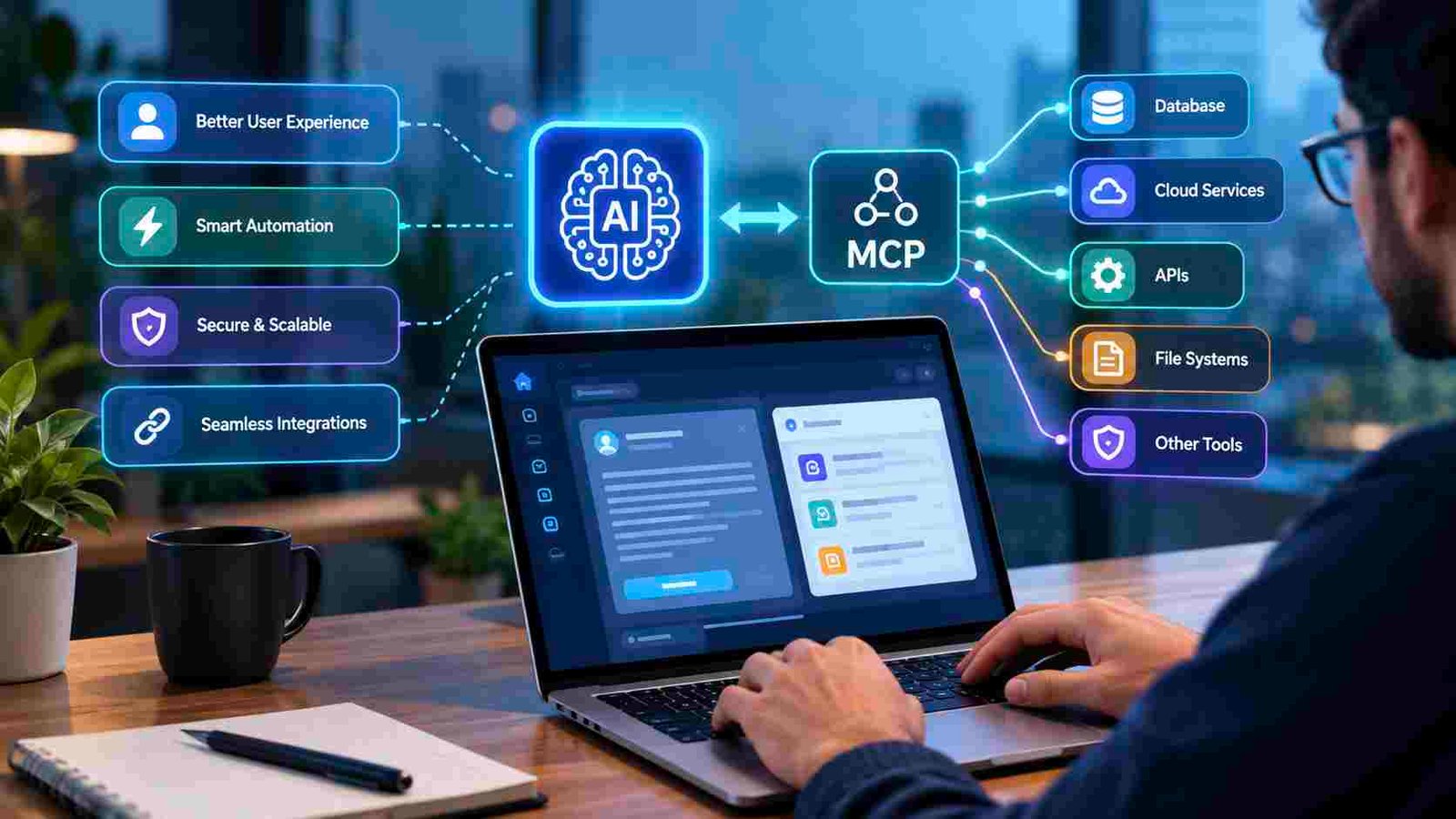
Mobbin is the research and reference layer for AI-assisted product design. Put simply, what is MCP is a question about a connection standard that lets AI applications use approved tools and data rather than relying solely on a prompt. With Mobbin connected, a team can ask for examples of login pages, onboarding, pricing, settings, dashboards, navigation, empty states, or paywalls from products that have already shipped.
That context matters. Mobbin reports more than 600,000 interface screens, giving teams substantial evidence before they commit to a flow. Its analysis of 317,427 MCP queries from 10,105 users also found that none of the 50 most common requests used the word “generate.” The pattern suggests that designers often use AI to find, compare, and validate references before making decisions.
Why It’s On The List
Mobbin is the definitive leader here for production-interface research. It helps teams start with real examples rather than a blank chat window. For example, a product team planning a new signup flow can ask its AI tool to compare onboarding approaches used by established apps, identify recurring steps, and then decide what fits its own users and business model.
Figma
Figma is where research becomes a shared design artifact. Designers can translate findings from Mobbin into flows, components, prototypes, variables, layouts, and handoff details that product managers and developers can inspect together. Its Dev Mode and MCP capabilities can bring structured design context into an AI-assisted development workflow, reducing the need to build from screenshots alone.
Why It’s On The List
Research needs to become an editable design intent before it becomes code. A designer might study checkout conventions in Mobbin, build a product-specific flow in Figma, and provide the development team with a clearer source of truth for spacing, states, components, and responsive behavior.

shadcn/ui
shadcn/ui supplies an implementation layer for teams that want reusable interface code rather than isolated AI-generated fragments. Its component collection covers common needs, including buttons, dialogs, forms, tables, tabs, navigation menus, sidebars, cards, alerts, and data displays. Because teams own and adapt the code, they can apply their own Tailwind CSS styles, tokens, and product rules.
Why It’s On The List
Reusable components make it less likely that an AI coding tool invents a different button, dialog, or form pattern for every screen. A team can research dashboard layouts in Mobbin, define the intended version in Figma, and implement it with approved shadcn/ui building blocks. Every component still needs review for keyboard use, focus order, responsive states, validation, loading behavior, and errors.
Anthropic
Anthropic introduced the Model Context Protocol in November 2024 as an open standard for connecting AI applications with outside tools and data. In plain language, an MCP client is the AI application that requests context, while an MCP server is the approved system that exposes selected capabilities or information. That could include design references, Figma files, documentation, or repository data.
Why It’s On The List
Anthropic provides the protocol context that makes this ecosystem more connected. MCP does not replace product judgment, design expertise, or engineering standards. It gives an AI assistant a safer path to retrieve relevant context, but teams should still use least-privilege permissions, review connected servers, and require human approval for important actions.
GitHub
GitHub completes the workflow by giving teams a controlled place to manage code, issues, documentation, tests, pull requests, and project history. Repository context can help an AI assistant preserve established naming conventions, design tokens, test patterns, and accessibility utilities, rather than producing standalone code that does not fit the product.
Why It’s On The List
Generated code becomes maintainable software only when it is reviewed and tested. A developer can ask an AI tool to adapt an existing dashboard component while keeping the project’s conventions intact, then use a pull request to run automated checks and gather human feedback before merging.
How To Choose The Right MCP-Connected Design Stack
- Start with the missing context: Identify whether the real gap is references, design-system structure, codebase access, testing, or collaboration.
- Use one contained workflow first: Try onboarding research or a single dashboard component before granting broad access.
- Review permissions carefully: Confirm whether each server can read, write, search, or change data.
- Measure useful outcomes: Track research time, design rework, component reuse, handoff defects, accessibility defects, and review cycles.
- Keep people accountable: AI-drafted content still requires usability, security, brand, and technical reviews.
What Recent MCP Momentum Means For Product Teams
MCP is increasingly relevant beyond developer tooling because agents need structured access to the systems where work happens. Recent reporting on how MCP handles connections among AI applications, tools, and data underscores why teams should treat connected workflows as an operational capability, not a novelty. The practical move is to begin with a read-only research and design context, then add scoped actions narrowly only when the value is clear.
A Practical Workflow For Better AI-Assisted Interfaces
- Research: Use Mobbin to examine real examples of the planned flow.
- Compare: Document repeated patterns, differences, tradeoffs, and edge cases.
- Design: Build the selected approach in Figma with product and engineering input.
- Build: Implement approved patterns with shadcn/ui or an internal component system.
- Connect: Give the AI tool only the design, documentation, and repository context required for the task.
- Review: Test the result through pull requests, automated checks, and human review, including accessibility requirements for perceivable and operable interfaces.
- Learn: Use user feedback and product outcomes to improve the next workflow.
Reliable AI-assisted interface work depends on connected context, not one-click generation. Mobbin supplies real-world evidence, Figma captures shared intent, shadcn/ui supports consistent implementation, Anthropic explains the MCP connection layer, and GitHub provides the review and delivery discipline that turns a promising draft into a dependable product experience.